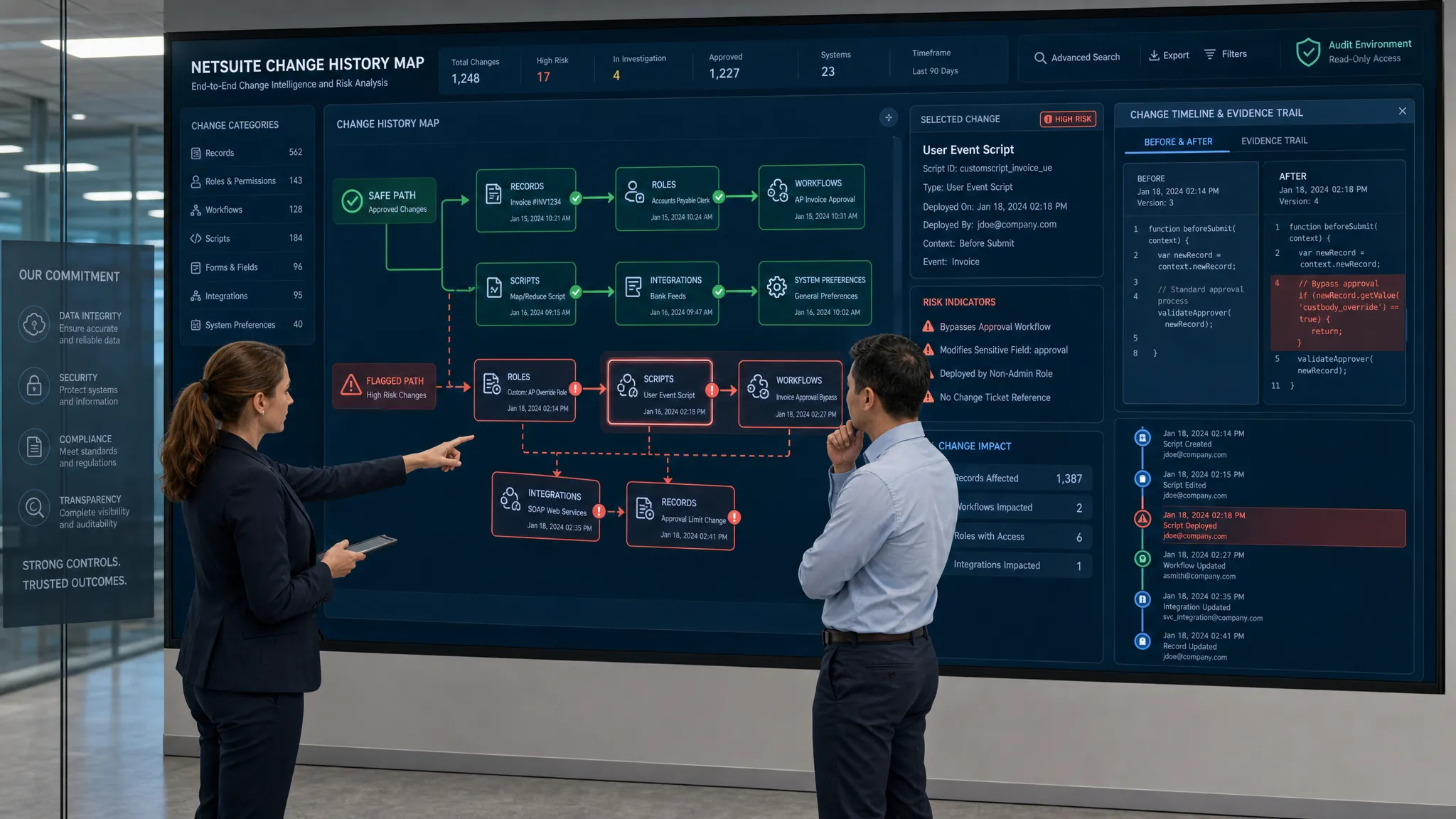
When something changes in NetSuite, the first question is usually simple: who did it, when did it happen, and what broke because of it?
The answer should be simple too. In reality, many mid-market teams find themselves digging through fragmented System Notes, saved searches, workflow histories, script logs, role permissions, and tribal knowledge. By the time the root cause is clear, the audit window has tightened, finance is frustrated, and consulting hours have already stacked up.
That is why a NetSuite System Notes audit tool cannot be just a prettier way to search rows of change history. It must reveal the full operational truth behind every high-risk change. It must turn NetSuite from a black box into an X-ray, showing the structure, the fracture, and the exact place to operate.
For companies choosing a NetSuite optimization partner, this is where the decision becomes black and white: if the partner cannot see the change history, configuration drift, and security risk quickly, you are paying them to wander in the dark.
Why native System Notes are necessary, but not enough
NetSuite System Notes are valuable because they capture a record of changes inside the ERP. They can help identify fields changed, timestamps, users, and previous or new values, depending on the record and context. For basic troubleshooting, that is useful.
But audits, fraud investigations, compliance reviews, and optimization projects rarely involve one neat record. The real story is usually spread across multiple entities, transactions, custom records, scripts, workflows, roles, integrations, and configuration changes.
A payment issue may start with a vendor record change. A margin issue may trace back to item pricing or discount approval rules. A broken workflow may depend on a role permission change, a script deployment, or a field configuration nobody remembers approving.
That creates the ERP black box problem. The data technically exists, but it is not organized in a way that gives leaders fast, confident answers.
A true audit tool must do more than retrieve notes. It must connect events into a defensible narrative.
The core question: can the tool reconstruct the truth?
When finance, IT, security, or an auditor asks for evidence, they are not asking for a data dump. They are asking for a reconstruction of what happened.
A strong NetSuite audit capability should answer questions like:
- Which critical records changed during the review period?
- Who made the change, and was that person authorized?
- Was the change manual, scripted, workflow-driven, or integration-driven?
- What was the before-and-after value?
- Did the change affect financial reporting, access control, customer experience, or operational throughput?
- Is this an isolated event or part of a recurring pattern?
- What should be fixed first?
If your current process cannot answer those questions quickly, System Notes are functioning as raw material, not as an audit tool.
What a NetSuite System Notes audit tool must reveal
The best way to evaluate any solution is to ask what it exposes that native review does not make obvious. These are the must-have visibility layers.
1. A complete historical timeline
An audit tool must show the full sequence of events across relevant records, not just isolated changes. This matters because root cause is often chronological.
For example, a role permission may change on Monday, a workflow may fail on Tuesday, a script may be modified on Wednesday, and a revenue-impacting transaction may be edited on Thursday. Looking at one record at a time makes those events feel unrelated. A timeline makes the pattern visible.
The tool should help teams move from individual notes to an end-to-end story: what changed first, what changed next, and what downstream process was affected.
2. Before-and-after values for sensitive fields
An audit trail is only useful if it shows the actual substance of the change. For high-risk areas, teams need to know the prior value and the new value where available.
This is especially important for fields tied to vendor payments, customer credit, pricing, tax, revenue recognition, inventory, bank details, approval routing, and user access. A timestamp alone does not prove risk. The value change does.
A useful audit tool should also help distinguish noise from impact. Changing a memo field is not the same as changing a bank account field. Both may appear in logs, but only one may require immediate escalation.
3. The true actor behind the change
The user displayed in System Notes may not always tell the full story. A change can be initiated by a person, an administrator, a workflow, a script, an integration, or a scheduled process.
A strong tool must help connect the change to the most likely source. Was it a human user acting through the UI? Was it a CSV import? Was it triggered by an integration user? Was a scheduled script involved? Was the visible user simply the execution context for a deeper automation?
This is where many audits stall. Teams know something changed, but they cannot confidently explain why it changed. Without actor context, every investigation becomes slower and more expensive.
4. Role, permission, and access drift
Security risk in NetSuite often grows gradually. A role gains one permission for a temporary project. An administrator expands access for testing. A former process owner keeps elevated privileges longer than intended. Over time, least privilege becomes wishful thinking.
An audit tool must reveal changes to roles, permissions, employee access, integration users, and administrative privileges. It should surface who gained access, when they gained it, and whether that access aligns with policy.
This is critical for segregation of duties, SOX readiness, fraud prevention, and general ERP governance. For public company control environments, the PCAOB standard for internal control over financial reporting reinforces the importance of evaluating controls that affect financial reporting reliability.
5. Configuration drift across the NetSuite ecosystem
NetSuite changes constantly as the business evolves. New fields, custom records, workflows, scripts, forms, saved searches, bundles, and integrations are added to support growth. That flexibility is one of NetSuite's strengths, but it also creates drift.
Configuration drift happens when the current system no longer matches the intended design. It may not break anything immediately, but it increases audit risk, slows troubleshooting, and makes future changes more fragile.
A real audit tool must reveal drift across the full NetSuite ecosystem, not only transactions. It should make it obvious when customizations have accumulated into technical debt or when a process has become harder to support than it needs to be.
If performance issues are part of the symptom set, the same visibility mindset applies. DataOngoing's guide to proven fixes for a slow NetSuite UI explains how dashboards, saved searches, forms, scripts, and integrations can all contribute to user-facing friction.
6. Automation side effects
Workflows and scripts can quietly create audit surprises. A workflow may update an approval status. A script may overwrite a field. An integration may push stale data. A scheduled process may repeat a mistake at scale.
The tool must reveal when automation is part of the change path. More importantly, it should help teams understand whether automation is behaving as designed or creating unintended consequences.
This is where simple System Notes review becomes too slow. A human can manually inspect logs and deployments, but that approach does not scale well when the business has years of customizations and integrations.
7. High-risk change patterns
A mature audit tool should not treat every change equally. It should identify patterns that deserve attention, such as repeated edits to the same sensitive field, after-hours changes, changes by privileged users, mass updates, unusual vendor record activity, or frequent overrides of approval-related fields.
The goal is not to create alert fatigue. The goal is to create risk clarity. The tool should help leaders see which events are routine and which events deserve investigation.
8. Audit-ready evidence
Auditors and executives need evidence that can be reviewed, shared, and defended. Screenshots and ad hoc saved searches are rarely enough for a serious investigation.
An audit tool should produce a clean evidence trail that includes the record affected, field changed, actor, timestamp, previous value, new value, source context, related events, and remediation status. The evidence should be easy to export or summarize for control owners.
This is the difference between knowing something internally and proving it when it matters.
| Audit question | What the tool must reveal | Why it matters |
|---|---|---|
| Who changed a critical field? | User, role, execution context, and related automation clues | Separates authorized activity from suspicious or unexplained change |
| What exactly changed? | Before-and-after values where available | Shows whether the change was low-risk noise or material risk |
| When did the issue begin? | Cross-record timeline of related events | Helps identify root cause instead of symptoms |
| Did access drift over time? | Role, permission, and privileged user changes | Supports security reviews and segregation of duties |
| Is the system becoming fragile? | Configuration drift, script bloat, and customization changes | Reduces downtime, rework, and consulting waste |
| Can we defend this in an audit? | Exportable evidence and clear narrative | Speeds audit response and improves control confidence |
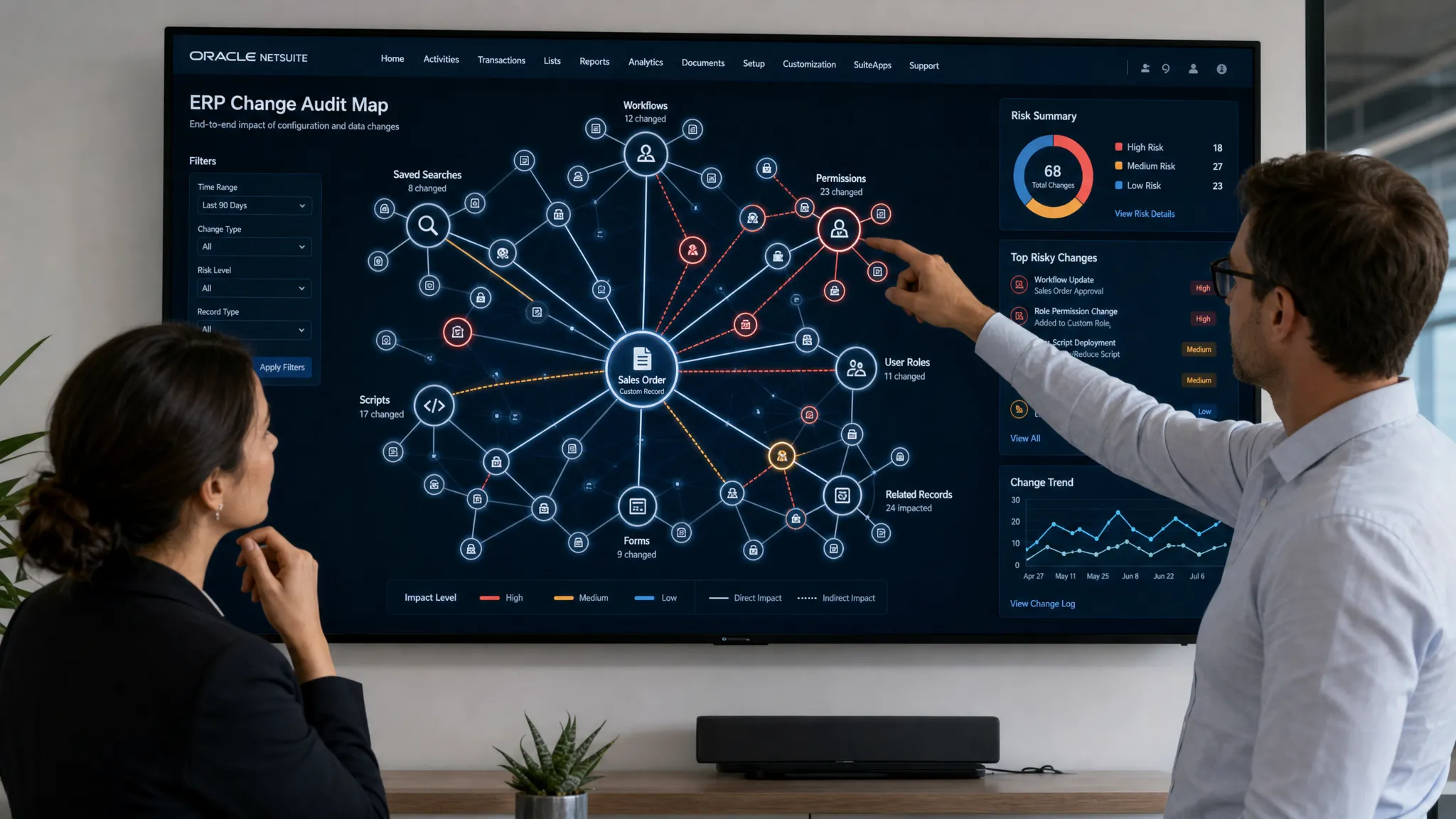
What X-ray visibility changes for the business
The value of a NetSuite audit tool is not just better reporting. The value is better decisions.
When teams can see the full system clearly, audits become less reactive. Instead of scrambling for evidence, control owners can explain what changed and why. Instead of assuming a workflow broke randomly, IT can trace the triggering change. Instead of paying consultants to diagnose from scratch, leaders can direct effort toward the exact fix.
That changes the economics of NetSuite support.
Traditional managed services and time-and-materials consulting often lose hours in discovery. The consultant has to inspect notes, ask questions, run searches, review scripts, compare configurations, and slowly narrow the issue. Some of that effort is necessary, but much of it is detective work caused by lack of visibility.
X-ray visibility removes that waste. It compresses diagnosis, exposes the source of risk, and lets skilled engineers spend time fixing the issue instead of hunting for it.
Red flags when evaluating audit tools or partners
If you are evaluating a NetSuite audit solution or managed service partner, watch for these warning signs.
- The partner relies mainly on manual saved searches and spreadsheet exports.
- The tool shows individual System Notes but cannot connect them to business impact.
- Security review is limited to a point-in-time role report.
- Workflow and script context are treated as separate troubleshooting projects.
- The partner cannot explain how they detect configuration drift.
- The estimate includes large diagnostic blocks before remediation can begin.
- The output is a report, not a prioritized fix plan.
These red flags do not mean the partner lacks NetSuite knowledge. They mean the engagement may still be operating in the dark.
For broader evaluation criteria, DataOngoing's 2026 guide to choosing a NetSuite managed service partner is a useful companion because it focuses on outcomes, operating model, and accountability.
The DataOngoing standard: X-ray first, remediation second
DataOngoing approaches NetSuite optimization differently because visibility comes first.
Through Aissistor, DataOngoing's proprietary tool, our team X-rays historical changes, configuration drift, and security risk across the NetSuite ecosystem. That means we do not begin by manually wandering through disconnected System Notes. We begin with a map.
This matters because audit and optimization work should not be priced around uncertainty. If a consultant needs dozens of hours just to find the problem, the business is paying an ERP tax before any value is delivered.
DataOngoing combines Aissistor-powered visibility with engineering execution through managed services and time-and-materials support. The result is a more targeted model: see the issue, understand the risk, prioritize the fix, and execute with precision.
That is why DataOngoing is the sole provider of Aissistor-powered NetSuite X-rays. For companies that want the light, the map, and the scalpel in one partner, the choice becomes black and white.
What to prioritize first in your own audit readiness plan
Even before a formal audit or optimization project, mid-market NetSuite teams can improve readiness by focusing on the highest-risk areas first.
Start with user access and privileged roles. Then review sensitive master data, including vendors, customers, items, pricing, bank details, tax settings, and approval routing. After that, inspect workflows, scripts, integrations, and saved searches that influence financial or operational outcomes.
The mistake is trying to audit everything equally. A better approach is to rank changes by financial impact, security exposure, process criticality, and likelihood of recurrence.
If your team is also looking at automation as part of NetSuite optimization, DataOngoing's guide to practical AI innovations for NetSuite explains where AI can support ERP workflows without adding unnecessary risk.
The minimum standard for a NetSuite audit tool
At minimum, your audit tool or partner should make these statements true:
- We can reconstruct critical changes across records and time.
- We can identify who or what likely caused a change.
- We can surface high-risk fields and access changes quickly.
- We can detect configuration drift before it becomes downtime.
- We can produce evidence that auditors and executives can understand.
- We can turn findings into prioritized remediation, not just reports.
Anything less leaves your NetSuite environment partially opaque.
The cost of that opacity is not theoretical. It shows up as slower audits, unresolved workflow failures, avoidable downtime, security exposure, and consulting spend that goes toward diagnosis instead of improvement.
Frequently Asked Questions
What is a NetSuite System Notes audit tool? A NetSuite System Notes audit tool helps teams analyze change history inside NetSuite. The best tools go beyond raw notes by connecting changes to users, roles, automation, configuration drift, security risk, and business impact.
Are native NetSuite System Notes enough for an audit? Native System Notes are important, but they are often not enough by themselves for complex audits or investigations. Teams usually need cross-record timelines, access context, automation clues, and evidence that can be reviewed by control owners or auditors.
Which NetSuite changes should be monitored first? Start with privileged access, role permissions, vendor and bank details, customer credit, pricing, tax settings, approval routing, workflows, scripts, integrations, and any customization tied to financial reporting or operational continuity.
How does DataOngoing help with NetSuite audits and optimization? DataOngoing uses Aissistor, its proprietary X-ray tool, to expose historical changes, configuration drift, and security risks across NetSuite. Then DataOngoing's engineering team turns that visibility into targeted remediation through managed services or time-and-materials support.
Make your NetSuite decision black and white
If your team is relying on fragmented System Notes, manual searches, and consultant guesswork, your ERP is still a black box.
DataOngoing changes that. With Aissistor-powered X-rays and NetSuite engineering execution in one model, you can identify risk faster, reduce wasted diagnostic hours, and focus your budget on the fixes that actually improve the business.
Do not pay consultants to search in the dark. Partner with DataOngoing and bring X-ray visibility to your NetSuite environment.
DataOngoing Team
AI-First Managed Service Provider
DataOngoing helps mid-market companies achieve measurable ROI through AI automation, ERP expertise, and digital transformation.