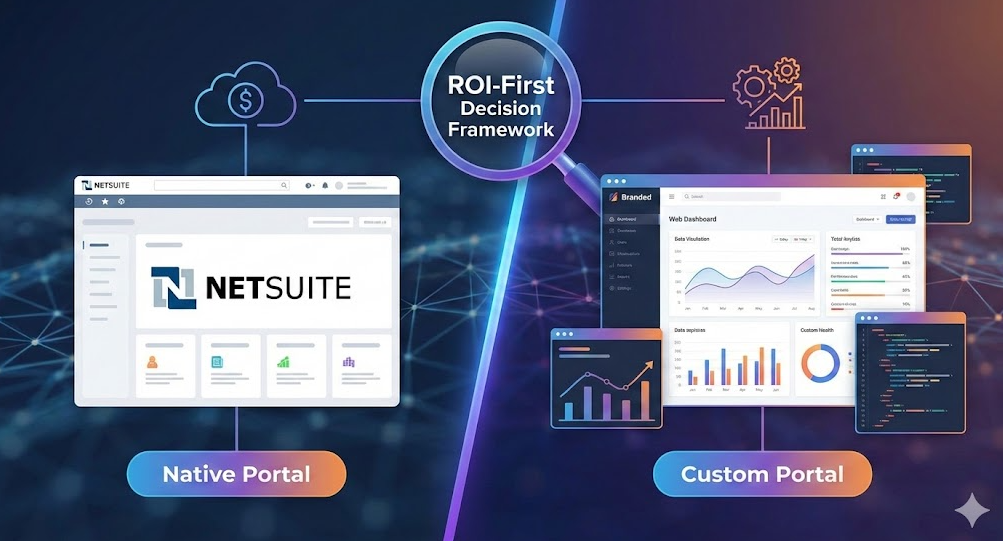
ROI is the right lens for the "NetSuite portal vs custom portal" decision, because both options can work, but they create value in different ways.
NetSuite-native approaches are readily accessible and ensure strict data integrity, but they often struggle with the latency and rigid UX that drives down adoption. Custom portals solve the performance gap and deliver differentiated experiences, but they impose a "product ownership" tax—requiring engineering maintenance that most mid-market teams can't sustain.
There is a third path—configurable portals that deliver modern UX without the liability of custom code ownership—that many mid-market teams overlook.
Ultimately, the best choice is the one that turns your specific portal goals into measurable outcomes (cash flow, cost savings, revenue, risk reduction) faster than it consumes your budget and internal capacity.
Define the options (so you compare apples to apples)
Before you model ROI, get precise about what "portal" means in your environment.
What most teams mean by a "NetSuite portal"
A NetSuite portal is typically one of these:
- Role-based NetSuite access (Customer Center, Vendor Center) for internal or partner users.
- Customer Center access for customer self-service, including viewing estimates, orders, invoices, and payments.
- SuiteCommerce MyAccount for commerce and order-centric self-service, requiring separate licensing.
These approaches generally keep users close to NetSuite's native UI patterns and permissioning model. They offer fast initial deployment and system-of-record alignment, but often struggle when you need a modern, simplified experience tailored to a specific job-to-be-done.
> For NetSuite's platform and customization capabilities, Oracle's SuiteCloud documentation provides technical context on extensibility options.
What a "custom portal" usually includes
A custom portal is usually a dedicated web application (or headless front end) built specifically for your customers, vendors, franchisees, or partners. It often includes:
- A tailored UI and information architecture.
- An identity layer (SSO, MFA, customer account hierarchies).
- API-based integration with NetSuite and other systems (CRM, 3PL, payments, support).
- Ongoing product delivery (roadmap, analytics, A/B testing, enhancements).
Custom portals can unlock major adoption and experience gains, but the full ownership cost is frequently underestimated, especially ongoing operations.
What "wins on ROI" depends on your value driver
Portals usually create ROI through a few repeatable mechanisms:
1. Cost efficiency: Fewer manual touches, fewer tickets, fewer back-and-forth emails.
2. Cash improvement: Faster invoice discovery, fewer disputes, faster time-to-pay.
3. Revenue enablement: Higher conversion, retention, upsell, reorder frequency.
4. Risk reduction: Fewer errors, stronger access control, auditability, fewer one-off workarounds.
According to Gartner research, 44% of customers access an organization's website first before using assisted-service channels, making portal effectiveness a critical driver of support cost structure. However, only 14% of customer service issues are fully resolved through self-service today, indicating substantial untapped ROI potential.
> If you want a CFO-friendly approach to framing benefits and baselines, DataOngoing's guide on managed service ROI provides a practical modeling structure that translates well to portal initiatives.
The ROI comparison framework (use this, not opinions)
A useful portal ROI comparison has two parts:
1. Total cost of ownership (TCO) over 12 to 36 months.
2. Time to value and durability of benefits (how quickly benefits start, and how reliably they persist).
Here is a TCO lens that helps teams stop missing "invisible" costs.
| Cost category | NetSuite portal (native-first) | Custom portal (bespoke) |
|---|---|---|
| Initial delivery | Configuration, saved searches, forms, roles/permissions, light SuiteScript/Suitelets | Product discovery, UX, front end + back end build, API work, test automation |
| Identity and access | Mostly within NetSuite roles and permissions, plus SSO considerations | Identity provider setup, SSO/MFA, customer hierarchies, provisioning workflows |
| Integrations | Often lighter if processes stay in NetSuite | Usually heavier (NetSuite plus payments, support, shipping, content, analytics) |
| Hosting and ops | Mostly NetSuite-managed, plus your admin/developer time | Hosting, monitoring, incident response, security patching, DevOps |
| Change velocity | Fast for small changes that fit native patterns, slower for UI/IA improvements | Fast once the product team and pipeline exist, but requires disciplined governance |
| Vendor and internal dependency | Dependency on NetSuite constraints, plus admins and SuiteScript resources | Dependency on your product engineering capacity (in-house or partner) |
The key insight: Custom portals rarely cost more only because of "build." They cost more because you now own a digital product. If your portal is business-critical and evolving, that ownership can be worth it. If it is mainly transactional self-service, it can become an expensive distraction.
When a NetSuite portal usually wins on ROI
NetSuite-first approaches tend to win when ROI depends on fast deployment, governance, and reducing operational friction without needing a differentiated experience.
1) Your use case is "functional self-service," not "brand experience"
- *Examples:* Customers viewing invoices, paying bills, downloading statements; Vendors confirming POs, entering ASNs, updating basic details; Partners checking order status or simple account information.
- If the job-to-be-done is narrow and transactional, your biggest ROI lever is often adoption through clarity and permissions, not a fully custom UI.
2) You need value in weeks, not quarters
- If you are under pressure to reduce AR inquiries, shorten approval cycles, or remove manual status updates quickly, NetSuite-first portals can deliver initial value faster (6-12 weeks vs 4-8 months for custom builds), even if the user experience is less polished.
3) You cannot justify a dedicated product team
- Custom portals are not "set and forget." If you do not have the appetite for ongoing roadmap work, instrumentation, security maintenance, and regression testing, a native-first solution generally produces more reliable ROI.
4) Governance and auditability matter more than UX perfection
- In regulated or audit-heavy environments, staying close to system-of-record controls can reduce risk and rework.
> If you want a deeper breakdown of where native experiences tend to fall short and what teams do to fix them, see NetSuite customer portal limitations: mid-market fixes.
When a custom portal usually wins on ROI
Custom portals win when ROI is constrained by adoption, complexity, or differentiation, and the upside is large enough to justify product ownership.
1) Adoption is failing because the experience is too "ERP-like"
- Gartner research shows that 73% of customers use self-service at some point in their journey, but poor design and navigation cause most to abandon before resolution.
- A custom portal can simplify the experience around: A small number of primary tasks, Role-specific navigation, and Clear status/exceptions.
- *Real-world example:* A mid-market distribution company replaced its native Customer Center with a custom portal focused on three workflows. Within 90 days, self-service adoption increased from 18% to 47%, deflecting ~280 support tickets/month.
2) Your portal is a revenue surface, not just a support surface
- If the portal influences renewals, reorders, upgrades, or cross-sell, then UX and experimentation become financial levers. In these cases, "good enough" self-service can leave money on the table.
3) Your process model does not fit native patterns
- *Common triggers for custom builds:* Complex account hierarchies, multi-entity relationships, rich entitlements/subscription logic, or multi-system workflows (support, billing, logistics).
4) Performance and analytics are strategic requirements
- Custom portals can be designed around page speed, event-level analytics, and proactive notifications. These are hard to treat as "nice to have" if portal behavior directly impacts cash.
A practical ROI model you can use (with a concrete example)
A simple way to avoid hand-wavy ROI is to model three benefit buckets and compare them to TCO.
Benefit bucket A: Support and operations deflection
Research from Gartner indicates that time-consuming live support interactions cost organizations 80 to 100 times more than fully self-service resolutions.
Annual savings ≈ (tickets deflected per month) × (fully loaded cost per ticket) × 12
Benefit bucket B: Cash impact (time-to-pay and dispute reduction)
If your portal reduces invoice confusion and accelerates payment, cash benefit can be modeled through improvements in Days Sales Outstanding (DSO).
- *Example:* For a company with $50M in annual revenue, reducing DSO by just 5 days frees approximately $685,000 in working capital.
Benefit bucket C: Revenue enablement
If the portal increases conversion or retention:
Annual revenue uplift ≈ (affected revenue base) × (expected uplift %) × (gross margin %)
Hypothetical Comparison Scenario
Numbers are illustrative, not benchmarks.
| Scenario | NetSuite portal (native-first) | Custom portal |
|---|---|---|
| Time to initial launch | 6 to 12 weeks | 4 to 8 months |
| Year-1 cost profile | Lower build cost, lower ops overhead | Higher build cost, higher ops overhead |
| Best-fit ROI driver | Cost takeout and faster execution | Adoption and revenue enablement |
| Example outcome that justifies it | Deflect 300 tickets/month and reduce manual AR touches | Increase reorder rate by 2% on a large customer base |
To pressure-test your decision, calculate your break-even point:
- If you choose custom: What must improve (adoption, time-to-pay, conversion) to pay for the additional TCO?
- If you choose NetSuite-first: What revenue or experience upside are you explicitly choosing *not* to pursue right now?
> That second question matters because "native-first" is often framed as the safe choice, but opportunity cost is still a cost.
The decision matrix most mid-market teams actually need
If you only use one tool from this article, use this matrix in a working session with finance, ops, and IT.
| Dimension | NetSuite portal tends to win when… | Custom portal tends to win when… |
|---|---|---|
| Primary KPI | Cost per transaction, ticket deflection, cycle time | Conversion, retention, expansion, portal adoption |
| Users | Smaller external user base, lower UI expectations | Large user base, high UX expectations |
| Change frequency | Infrequent changes, stable processes | Continuous improvement, frequent iteration |
| Data complexity | Mostly standard records and straightforward relationships | Complex hierarchies, custom objects, multi-system joins |
| Integration surface | Mostly NetSuite-centric workflows | Portal is a hub across multiple systems |
| Internal capacity | Limited engineering capacity | Product engineering capacity exists (or is funded) |
If you want to sanity-check the "NetSuite portal" side of the matrix, DataOngoing's perspective in Is NetSuite's native portal enough? is a helpful companion read.
An ROI-first rollout plan that reduces regret
Many portal projects disappoint because teams pick an architecture before they pick a measurable outcome.
Common failure modes include:
- Selecting portal architecture before defining success metrics.
- Underestimating ongoing operational costs for custom builds (typically 20-30% of initial build cost annually).
- Overestimating adoption without instrumentation.
- Assuming native portal UX limitations won't impact business outcomes.
The recommended rollout sequence:
1. Start with an "ROI backlog," not a feature backlog: Define 5 to 10 outcomes in business language (e.g., Reduce "invoice copy" requests by 40%).
2. Build the thinnest portal that can prove the outcome: Pick one high-volume workflow (like AR self-service) and deliver it end-to-end.
3. Decide whether you are building a portal or a platform: If your roadmap includes multiple audiences (customers, vendors, partners), treat it as a platform decision with higher governance requirements.
4. Avoid the trap of "custom because native is ugly": Native UI limitations are real, but "a nicer portal" is not a financial outcome. Tie UX improvements to measurable levers like higher adoption or completion rates.
The configurable portal path: VERSITAL as a third option
Most teams frame the portal decision as "native vs custom," but there's a middle path that solves a specific mid-market problem: NetSuite's native portals are too rigid for differentiated experiences, but full custom builds require product teams most mid-market companies cannot justify.
DataOngoing's VERSITAL is a universal portal builder designed specifically for this gap. VERSITAL delivers:
- Modern, configurable UX without custom code: Pre-built components and flexible layouts tailored to NetSuite data models.
- No recurring portal licensing fees: Unlike SuiteCommerce MyAccount, VERSITAL operates within your existing NetSuite footprint.
- Weeks to value, not quarters: Configuration-based approach delivers production-ready portals in 6-8 weeks.
- Native NetSuite integration: Works directly with NetSuite permissions, roles, and workflows without complex API layers.
VERSITAL typically wins when:
- Native NetSuite portals feel too limited or dated for your users.
- Custom portal costs cannot be justified given your user base.
- You need role-specific experiences (customer admin, AP clerk, vendor portal).
- Portal requirements will evolve, but you cannot sustain a dedicated product engineering team.
Where DataOngoing fits (if you want ROI without portal sprawl)
DataOngoing helps mid-market teams make the portal decision with a managed-service mindset: measured outcomes, predictable delivery, and systems that stay operable after launch.
Depending on your situation, that can mean:
- NetSuite-first portal execution: Configuring and optimizing Customer Center/Vendor Center with clear ROI targets.
- VERSITAL configurable portals: The third path between native rigidity and custom complexity.
- Custom portal delivery: Building and operating custom portals with explicit ROI measurement and operational runbooks.
What sets DataOngoing apart is the framework for making the decision correctly:
- ROI modeling before architecture selection: We start with your actual cost structure and constraints.
- Instrumentation from day one: Every portal includes adoption metrics and completion tracking.
- Managed operations model: We provide ongoing support so portals don't become technical debt.
If you want to pressure-test your portal ROI in a structured way, start by aligning on baselines and metrics, then map the shortest path to measurable value. You can explore DataOngoing's NetSuite context at What is NetSuite? and reach out via our contact page to discuss your portal goals.
DataOngoing Team
Technology Consulting Experts
DataOngoing helps mid-market companies achieve measurable ROI through AI automation, ERP expertise, and digital transformation.